If ChromeOS feels limiting — no offline development tools, no deep customization, no traditional desktop software — you have real alternatives. But a lot of "best Chromebook OS" lists online (including an earlier version of this one) keep recommending projects that quietly stopped being maintained years ago. Before you flash anything to your device, here's what's actually still alive, actively updated, and safe to install today.
A quick note on what changed from older lists
Two names you'll still see recommended everywhere — GalliumOS and Ubuntu Web Remix — no longer belong on a "best of 2026" list, and it's worth knowing why before you go looking for them:
GalliumOS was officially discontinued in 2022. Its own project wiki now tells existing users to migrate away, citing security risks from an outdated, unpatched kernel. It's still floating around on download sites and older blog posts, but installing it today means running an OS that no longer receives security fixes.
Ubuntu Web Remix was a promising one-developer side project, but its last real release cycle was around 2021–2022, built on Ubuntu 20.04 — now several LTS generations behind. It's not actively maintained enough to recommend as a daily driver in 2026.
Both are replaced below with options that are genuinely still receiving updates.
1. Full Linux via MrChromebox Firmware + a Mainline Distro
Best for: Developers, coders, and anyone who wants a real Linux desktop
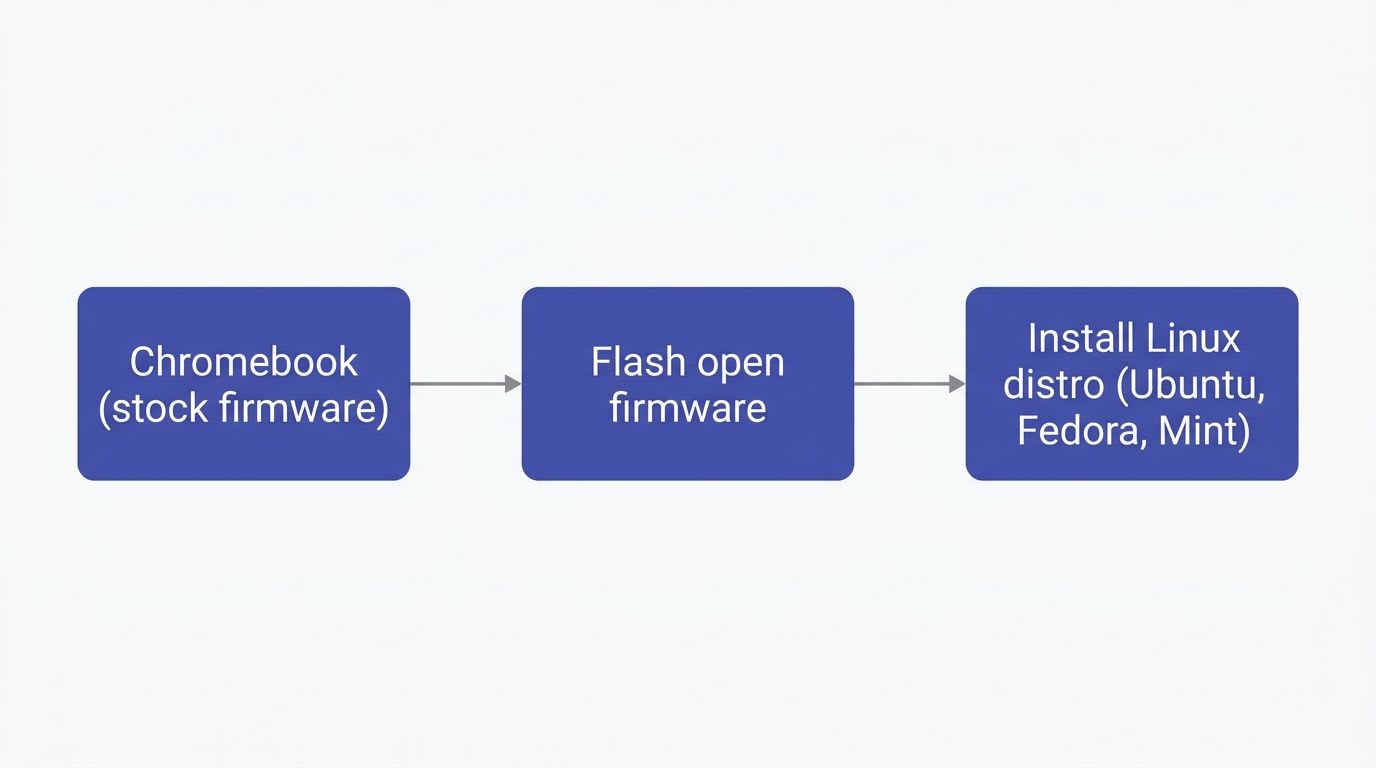
This is the approach that's actually replaced Chromebook-specific distros like GalliumOS. Instead of relying on a purpose-built (and easily outdated) distro, you flash open, actively-maintained firmware — MrChromebox, which shipped new releases as recently as this year — and then install any mainline Linux distribution you'd put on a normal laptop: Ubuntu, Fedora, Debian, or Linux Mint.
Why this beats a Chromebook-specific distro now:
The firmware project is actively maintained, unlike GalliumOS
You get a fully current, regularly-patched mainline distro, not a frozen fork
Check hardware compatibility first via the Chrultrabook supported devices list — not every Chromebook can run alternate firmware safely, so verify your model before starting
Download / start here: MrChromebox.tech (firmware) → then Ubuntu, Linux Mint, or Fedora Workstation
Note: This process involves flashing custom firmware, which is more involved than a typical OS install and carries real risk if your device isn't on the supported list — read MrChromebox's documentation fully before starting, and back up anything on the device first.
2. FydeOS (ChromiumOS with Android & Linux Support)
Best for: Users who want a ChromeOS-like experience with more power, without touching firmware
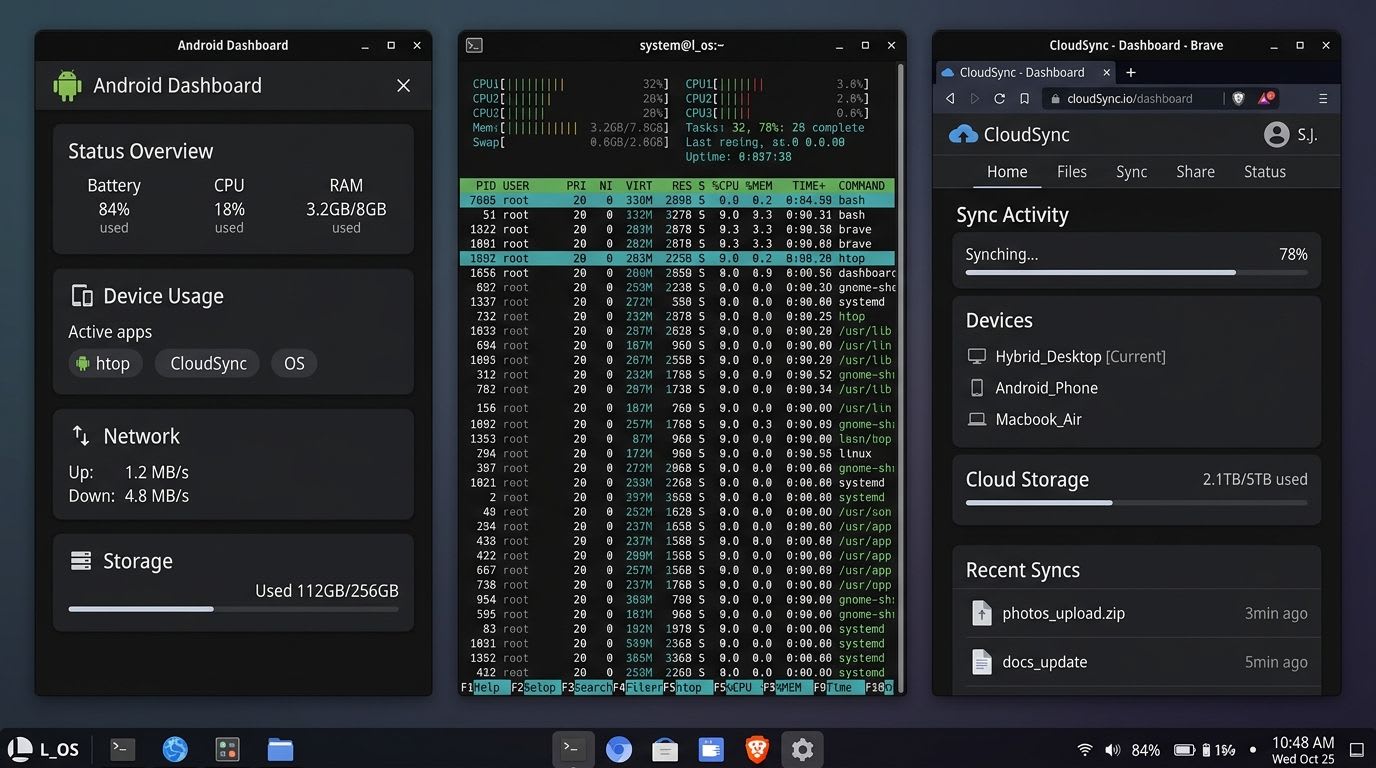
FydeOS is built on ChromiumOS — the open-source base of ChromeOS — but adds native Android app support and a Linux subsystem that Google's own ChromeOS doesn't offer in the same form. It's genuinely active: the project shipped a maintenance update as recently as September 2026.
Why choose FydeOS:
Familiar, ChromeOS-style interface — minimal learning curve
Native Android app support
Built-in Linux subsystem for development work
No firmware flashing required for supported PC hardware
Download: fydeos.io/download — select the PC build that matches your processor generation (the site provides a hardware-matching guide if you're unsure)
3. ChromeOS Flex (by Google)
Best for: Reviving older laptops, or running a ChromeOS-like experience on non-Chromebook hardware
ChromeOS Flex is Google's own official, free, and continuously updated OS for repurposing older PCs and Macs — not a third-party project at all, which makes it the safest bet if you want official long-term support.
Why choose ChromeOS Flex:
Built and maintained directly by Google, with automatic updates roughly every four weeks
Works on a broad range of Intel/AMD hardware, though full compatibility is guaranteed only on certified models
Straightforward install via the Chromebook Recovery Utility
Download: chromeos.google/products/chromeos-flex — check the certified models list before installing on non-Chromebook hardware, since uncertified devices can have Wi-Fi, audio, or sleep issues
4. Arch Linux / Manjaro
Best for: Tech enthusiasts who want deep customization and rolling updates
If you want full control over your system, Arch Linux and Manjaro remain solid, actively maintained options — Manjaro's most recent stable release shipped in January 2026.
Why choose Arch or Manjaro:
Rolling-release model — you're always on current software
Arch gives full manual control; Manjaro handles the setup for you while staying close to Arch under the hood
Large, active community and package ecosystem via the Arch User Repository (AUR)
Download: Manjaro (beginner-friendlier) or Arch Linux (for experienced users comfortable with a manual install)
Note: Neither is Chromebook-specific — you'll still need compatible firmware (see option 1 above) to install either as a full replacement OS on Chromebook hardware.
5. Linux Mint (via MrChromebox firmware)
Best for: ChromeOS fans who want a simple, polished interface without sacrificing full Linux software support
Rather than recommending another dormant hobby project for this slot, the more honest current pick is Linux Mint — a mainstream, consistently well-maintained distro known for a clean, approachable desktop that's friendlier to newcomers than Arch or Manjaro, while still giving you the full Linux software ecosystem once you're set up via MrChromebox firmware (see option 1).
Why choose Linux Mint:
One of the most actively maintained beginner-friendly distros available
Full access to standard Linux software repositories and PWAs through the browser
Large support community, so troubleshooting is easier than with niche projects
Download: linuxmint.com/download.php
Which Should You Choose?
Your priority | Pick |
|---|---|
Full developer control, current software | Mainline Linux (Ubuntu/Fedora) via MrChromebox firmware |
ChromeOS-like feel + Android apps, no firmware flashing | FydeOS |
Official Google support, reviving old hardware | ChromeOS Flex |
Maximum customization, rolling releases | Arch Linux / Manjaro |
Simple, beginner-friendly full Linux desktop | Linux Mint (via MrChromebox firmware) |
FAQ
Can I install Linux on a Chromebook in 2026? Yes — but the recommended path has shifted. Instead of a Chromebook-specific distro like the now-discontinued GalliumOS, the current best practice is flashing open MrChromebox firmware and installing a standard, actively-maintained distro like Ubuntu, Fedora, or Linux Mint.
Is GalliumOS still safe to use? No. GalliumOS was discontinued in 2022, and its own project wiki recommends migrating away due to security risks from an unpatched, outdated kernel. Avoid it despite still seeing it recommended on other sites.
Is ChromeOS Flex free? Yes, ChromeOS Flex is free and officially maintained by Google, installable on compatible PCs, Macs, and Chromebooks.
What's the best OS for an old Chromebook in 2026? ChromeOS Flex is the safest, lowest-effort option for older hardware since it's officially supported. For more control, a mainline Linux distro via MrChromebox firmware is the actively-maintained alternative to older Chromebook-specific distros.
Does FydeOS support Android apps? Yes — FydeOS natively supports Android apps alongside a Linux subsystem, and the project is actively maintained, with its most recent update shipping in September 2026.
Is replacing ChromeOS safe? Generally yes, if you follow official guides and back up your data first. The one step that carries real risk is flashing custom firmware (needed for full Linux installs) — only do this on a device confirmed compatible via MrChromebox's supported devices list, and follow their documentation exactly.