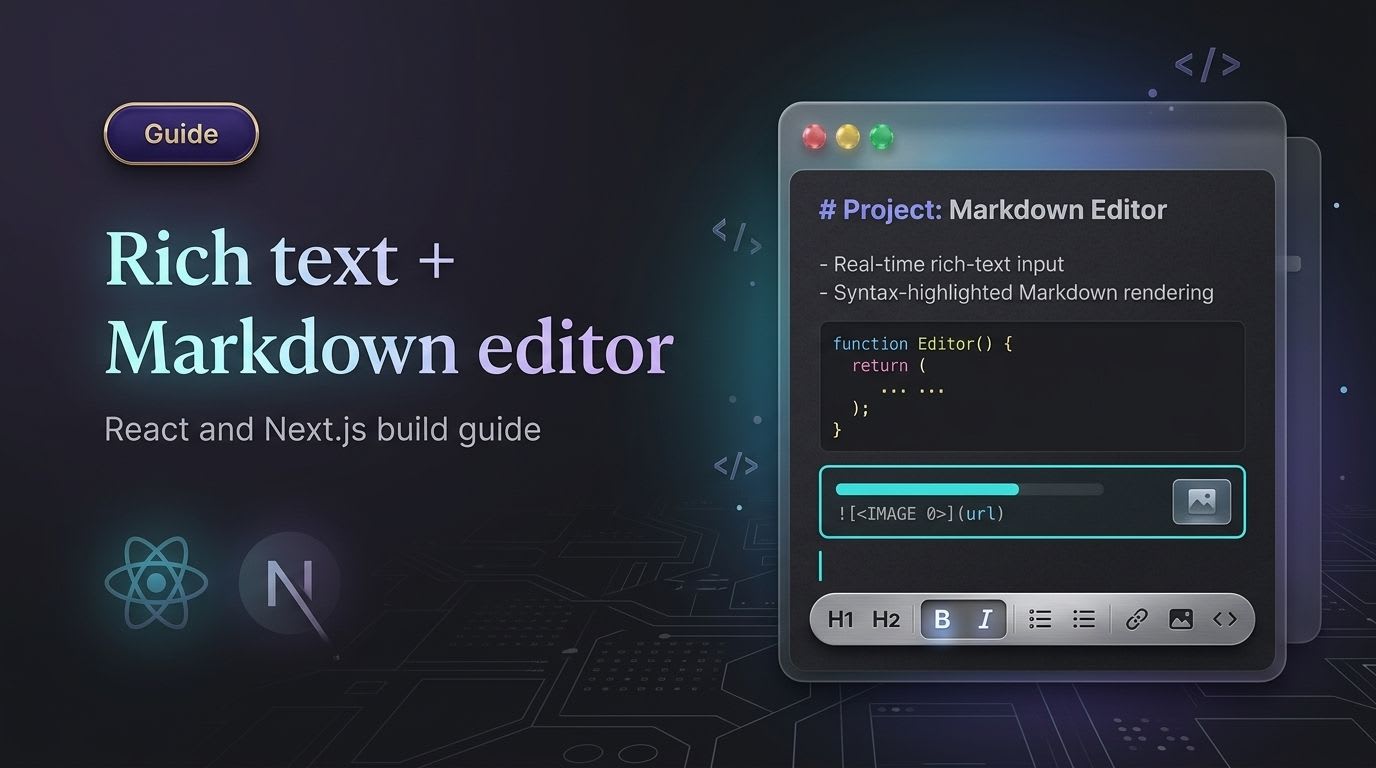
If you're building a blog platform, a CMS, or a knowledge base, you'll eventually need an editor that handles rich formatting and Markdown — not one or the other. I ran into this exact problem building LearnX, a learning management system where course authors needed to write formatted lessons that could also be stored and diffed as clean Markdown. This guide is the setup that actually worked in that project, updated for Tiptap 3 — including two things the original quick-start guides usually get wrong: the correct Markdown package name, and the SSR fix that's the single most common Tiptap + Next.js error.
Why Tiptap for a Combined Rich Text + Markdown Editor
Tiptap wraps ProseMirror — an editor engine already running in production at companies like the New York Times, The Guardian, and Atlassian, per Tiptap's own package documentation — in a React-friendly API. It gives you:
Rich text editing (bold, italic, headings, lists, code blocks)
Bidirectional Markdown support — parse Markdown in, serialize Markdown out
A fully headless architecture, so your toolbar and UI are 100% your own components
Official extensions for images, tables, mentions, and collaboration
First-class React and Next.js support, including an App Router–compatible SSR path
If you want a setup you can actually ship — not just a demo that breaks the moment you deploy to Next.js — here's the full build.
Project Setup
bash
npx create-next-app@latest my-editor
cd my-editor
npm install @tiptap/react @tiptap/starter-kit @tiptap/pm
npm install @tiptap/markdown @tiptap/extension-link @tiptap/extension-image @tiptap/extension-code-block-lowlight @tiptap/extension-text-align
npm install lucide-react
A note that would have saved me an hour on LearnX: the Markdown extension package is @tiptap/markdown, not @tiptap/extension-markdown. Older tutorials (including an earlier version of this one) reference the wrong package name — it will fail to install. As of Tiptap 3, Markdown support is a first-party, open-source extension maintained directly by the Tiptap team — see the official Markdown release notes for the full API.
Also note: @tiptap/pm is now a required peer dependency in Tiptap 3 and won't be pulled in automatically by every extension — install it explicitly, as shown above.
Initialize the Editor (with the SSR Fix Most Guides Skip)
"use client"

import { useEditor, EditorContent } from "@tiptap/react"
import StarterKit from "@tiptap/starter-kit"
import { Markdown } from "@tiptap/markdown"
import Link from "@tiptap/extension-link"
import Image from "@tiptap/extension-image"
import TextAlign from "@tiptap/extension-text-align"
import CodeBlockLowlight from "@tiptap/extension-code-block-lowlight"
import { Toolbar } from "./Toolbar"

export default function Editor() {
  const editor = useEditor({
    // Required for Next.js and any other SSR framework — without this you'll
    // hit "SSR has been detected, please set immediatelyRender explicitly to false"
    immediatelyRender: false,
    extensions: [
      StarterKit,
      Markdown,
      Link.configure({ openOnClick: false }),
      Image,
      TextAlign.configure({ types: ["heading", "paragraph"] }),
      CodeBlockLowlight,
    ],
    content: "## Start writing your **Markdown** here...",
    contentType: "markdown",
  })

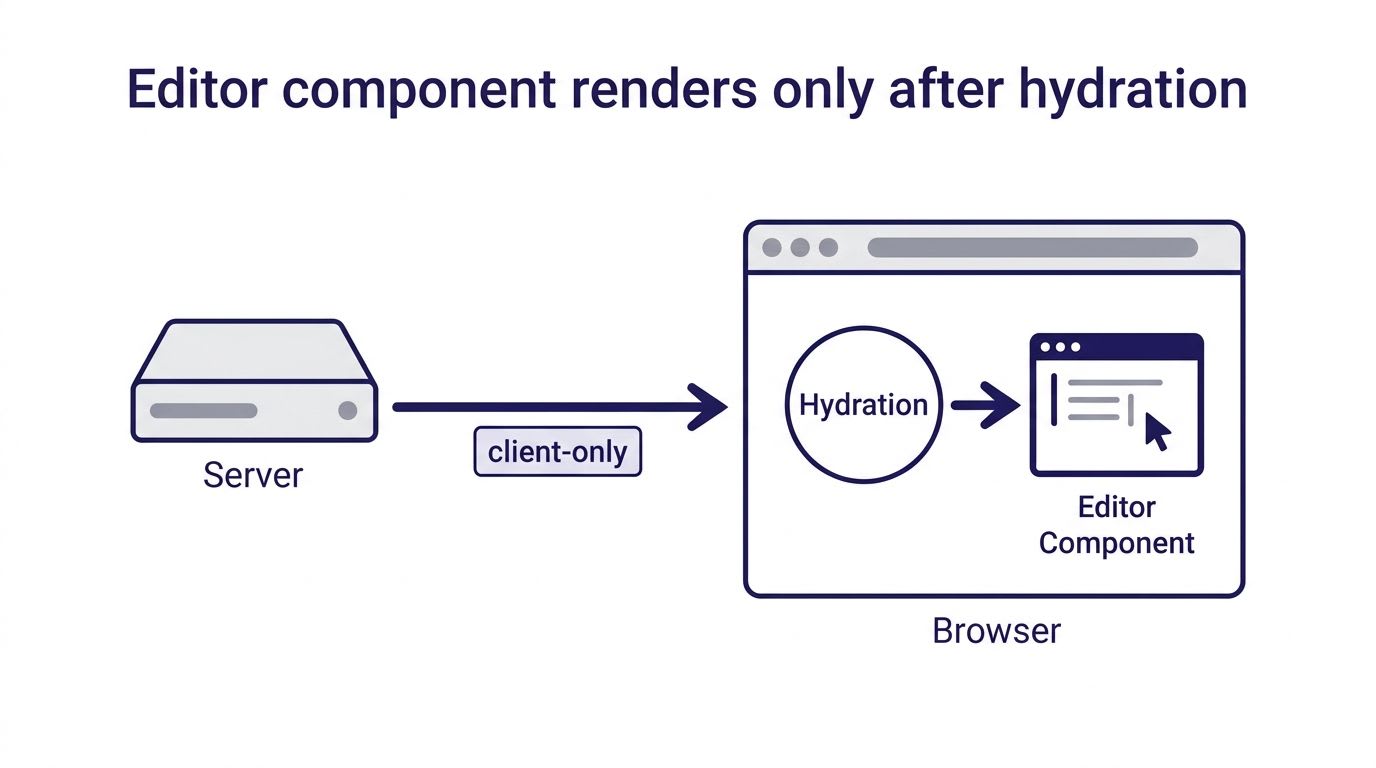
  if (!editor) return null // wait for client-side hydration before rendering

  return (
    <div className="max-w-2xl mx-auto p-4 border rounded-xl shadow">
      <Toolbar editor={editor} />
      <EditorContent editor={editor} className="prose p-4" />
    </div>
  )
}
Why immediatelyRender: false matters: Next.js renders on the server first, but Tiptap needs the browser DOM to initialize. Skipping this option is the single most-reported Tiptap error in their own GitHub issues (see issue #5856 as one example) — and the fix is one line, not the vague "add use client and guard the editor" advice you'll see in a lot of tutorials.
Building a Working Toolbar
This is a corrected version of the common toolbar snippet floating around — the original I'd seen (and initially copied myself) referenced AlignLeft/AlignCenter icons without importing them, which throws a runtime error the moment you click those buttons. Here's the working version:
tsx
import { Bold, Italic, Heading2, AlignLeft, AlignCenter, Code } from "lucide-react"

export function Toolbar({ editor }) {
  if (!editor) return null

  return (
    <div className="flex flex-wrap gap-2 border-b p-2 bg-gray-50">
      <button
        onClick={() => editor.chain().focus().toggleBold().run()}
        className={editor.isActive("bold") ? "bg-gray-200 p-2 rounded" : "p-2"}
      >
        <Bold size={18} />
      </button>
      <button
        onClick={() => editor.chain().focus().toggleItalic().run()}
        className={editor.isActive("italic") ? "bg-gray-200 p-2 rounded" : "p-2"}
      >
        <Italic size={18} />
      </button>
      <button
        onClick={() => editor.chain().focus().toggleHeading({ level: 2 }).run()}
        className={editor.isActive("heading", { level: 2 }) ? "bg-gray-200 p-2 rounded" : "p-2"}
      >
        <Heading2 size={18} />
      </button>
      <button
        onClick={() => editor.chain().focus().toggleCodeBlock().run()}
        className={editor.isActive("codeBlock") ? "bg-gray-200 p-2 rounded" : "p-2"}
      >
        <Code size={18} />
      </button>
      <button onClick={() => editor.chain().focus().setTextAlign("left").run()} className="p-2">
        <AlignLeft size={18} />
      </button>
      <button onClick={() => editor.chain().focus().setTextAlign("center").run()} className="p-2">
        <AlignCenter size={18} />
      </button>
    </div>
  )
}
If you're rendering the toolbar frequently and notice re-render performance issues on longer documents, Tiptap 3 adds a useEditorState hook specifically for subscribing to only the state your toolbar needs, instead of re-rendering on every transaction — worth adopting once your editor grows past a basic setup. See the React integration docs for the pattern.
Exporting and Importing Markdown
With @tiptap/markdown installed, serialization works out of the box:
tsx
<button
  onClick={() => {
    const markdown = editor.markdown.serialize(editor.getJSON())
    console.log("Exported Markdown:", markdown)
    // Save this string to your database
  }}
  className="mt-4 px-4 py-2 bg-blue-600 text-white rounded"
>
  Export Markdown
</button>
To load existing Markdown back into the editor later — say, when a user reopens a saved lesson — pass it as content with contentType: 'markdown', as shown in the setup above, or call editor.markdown.parse(markdownString) and set the result with editor.commands.setContent().
Adding Image Upload
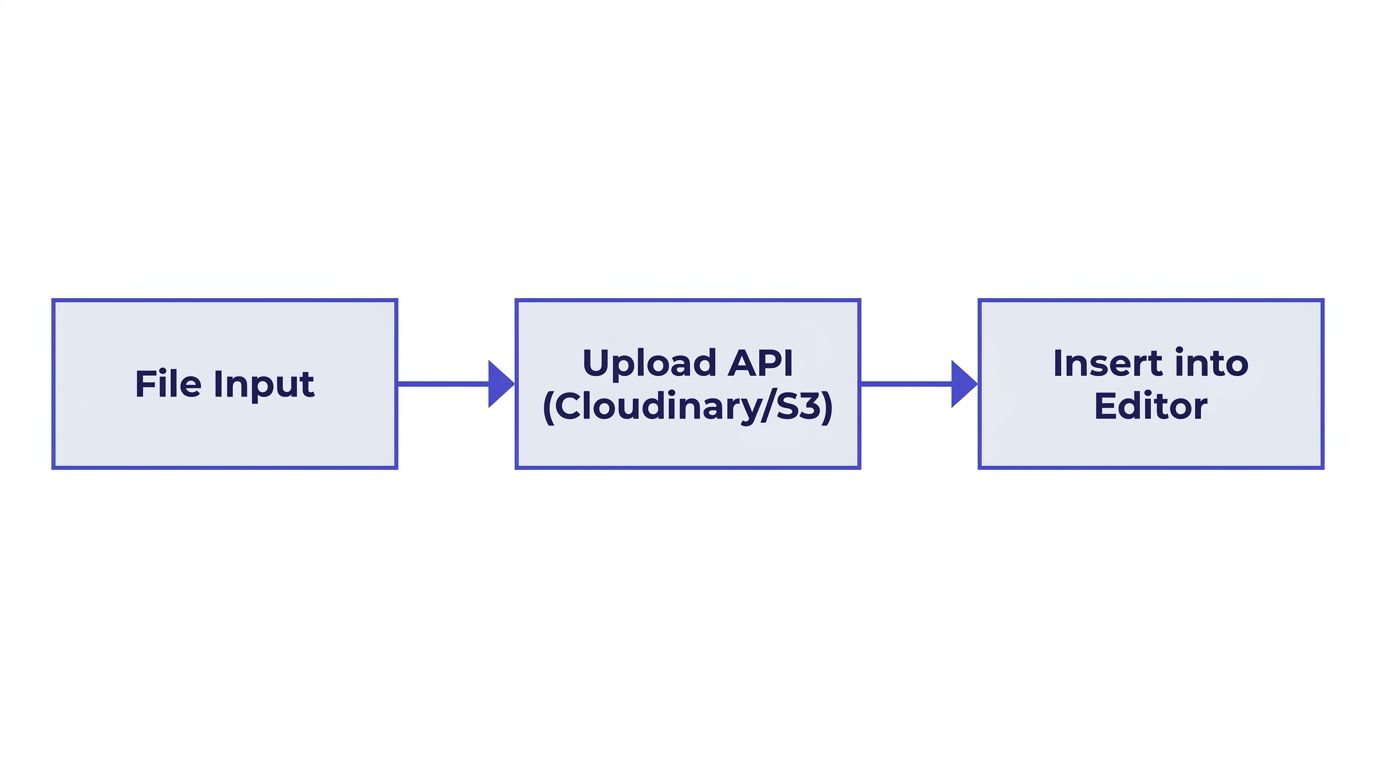
In LearnX, course authors upload cover images and inline diagrams constantly, so this needed to be reliable, not just a demo snippet. Here's the Cloudinary version:
tsx
const uploadImage = async (file: File) => {
  const formData = new FormData()
  formData.append("file", file)
  formData.append("upload_preset", "your_preset")

  const res = await fetch(
    "https://api.cloudinary.com/v1_1/your_cloud_name/image/upload",
    { method: "POST", body: formData }
  )
  const data = await res.json()
  return data.secure_url
}
Then insert it into the document:
tsx
const url = await uploadImage(file)
editor.chain().focus().setImage({ src: url }).run()
One thing worth planning for early: if you allow drag-and-drop or paste-from-clipboard image uploads (not just a file picker button), you'll want to hook into Tiptap's handleDrop and handlePaste editor props rather than relying only on a toolbar button — that's a common gap between "works in the demo" and "works the way users actually paste images."
Honest Pros and Cons
What Tiptap gets right
Modular — install only the extensions you need; LearnX ships a leaner bundle than a kitchen-sink editor would.
Markdown-native now — the first-party
@tiptap/markdownextension removed the need for third-party shims liketiptap-markdownthat earlier setups depended on.React/Next.js support is genuinely first-class, not bolted on — down to documented SSR guidance.
Actively maintained — Tiptap ships frequent releases; check the release notes before starting a new project so you're building on current APIs, not a stale tutorial's.
Where it still costs you time
ProseMirror concepts leak through once you go beyond StarterKit — custom nodes and marks require understanding ProseMirror's schema model directly.
SSR needs the explicit fix shown above — it's not automatic, and it's the most common first-time error.
Real-time collaboration (Hocuspocus) and some conversion/export tooling are paid or self-hosted — check Tiptap's pricing before assuming collaboration is free at scale.
Bundle size grows with extensions — audit what you actually ship to production; StarterKit alone is lean, but tables + collaboration + AI toolkit extensions add up fast.
FAQ
Why does @tiptap/extension-markdown fail to install? That package name is outdated or incorrect — the current, first-party package is @tiptap/markdown. If you find a tutorial referencing the old name, check its publish date before following it further.
How do I fix the SSR/hydration error in Next.js? Set immediatelyRender: false in your useEditor() config, and guard your render with if (!editor) return null. This is documented directly in Tiptap's Next.js install guide.
Is Tiptap free? The core editor and most extensions, including Markdown support, are open source under MIT. Paid plans cover real-time collaboration infrastructure, some conversion tooling, and AI-assisted features — confirm current scope on the pricing page since this has changed as Tiptap has expanded its commercial offering.
Can I toggle between a Markdown source view and the rich text view? Yes — since @tiptap/markdown serializes and parses bidirectionally, you can maintain a raw Markdown string in state, feed it to editor.markdown.parse(), and swap views without losing formatting.
Should I still use tiptap-markdown (the community package)? No, for new projects — its maintainer has flagged it as unmaintained now that Tiptap has a first-party Markdown solution. Use @tiptap/markdown instead.
Related Reading
Draft.js vs Tiptap vs Lexical: Choosing the Right Editor for React — if you're still deciding whether Tiptap is the right base at all
Official docs: Tiptap Markdown Guide, Tiptap Next.js Install Guide, ProseMirror Guide
Final Thoughts
The setup above is the one I actually run in production on LearnX — corrected package names, the SSR fix most quick-starts skip, and a toolbar that doesn't throw on click. If you're building something similar in 2026, start from Tiptap 3's current Markdown extension rather than an older community package, and set immediatelyRender: false from the first commit — it'll save you the exact debugging session it cost me.